

Know what's working. Every month, in writing.
Every client on a monthly plan gets a written report each month. It shows how people found you on Google, who got in touch, how your reviews are doing and what we worked on, in plain English or Spanish.
Here is what lands in your inbox.
This is our report template filled with example numbers, not a real client's results. Yours uses your own figures from the accounts we connect for you: Google Search Console, Google Analytics, your Google Business Profile and your CRM.
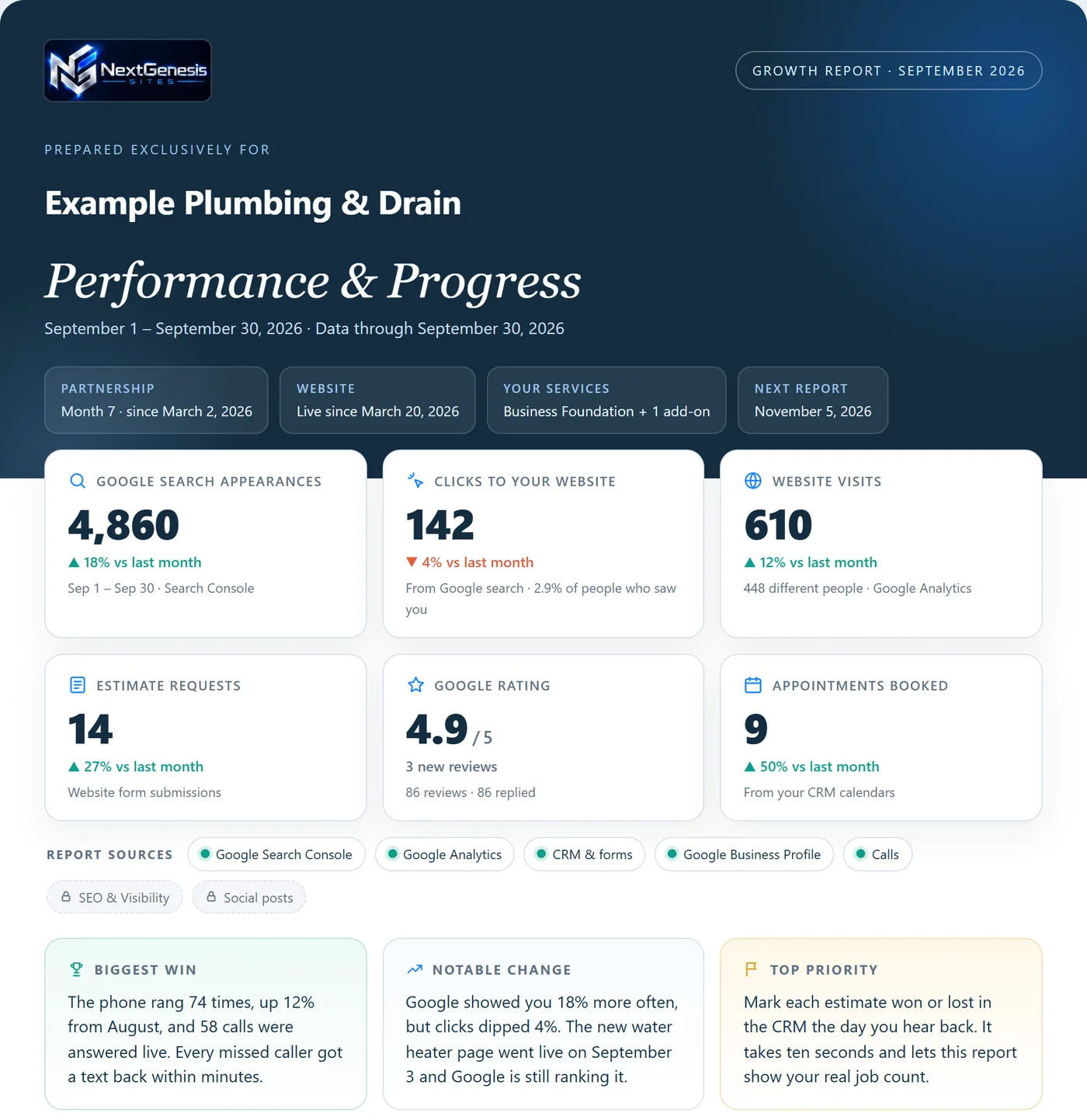
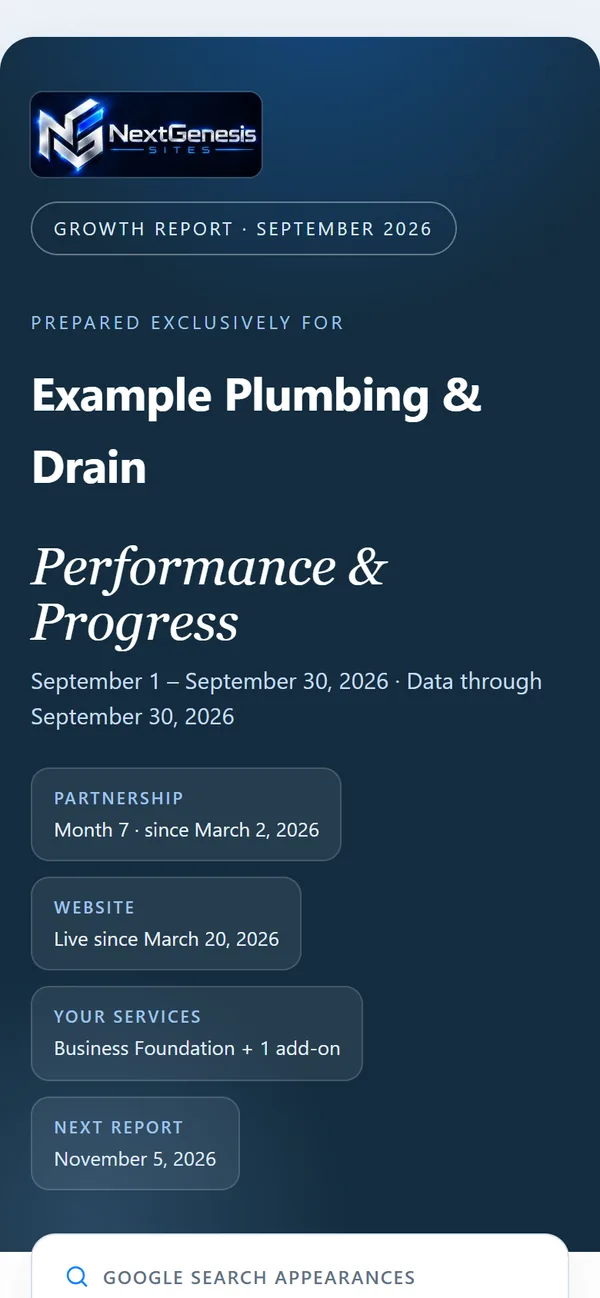
Six numbers up front, then five short sections.
Page one shows six headline numbers: Google search appearances, clicks to your website, website visits (or new contacts), estimate requests, your Google rating and appointments booked. Each one is compared with last month once there is a full month to compare.
Search & website
How often you appeared in Google search, how many people clicked through to your website, the searches that found you, and where your website visits came from.
Why it matters: Google counts an impression each time someone sees a link to your site, and a click each time someone follows it. Together they show whether Google is showing you and whether people choose you.
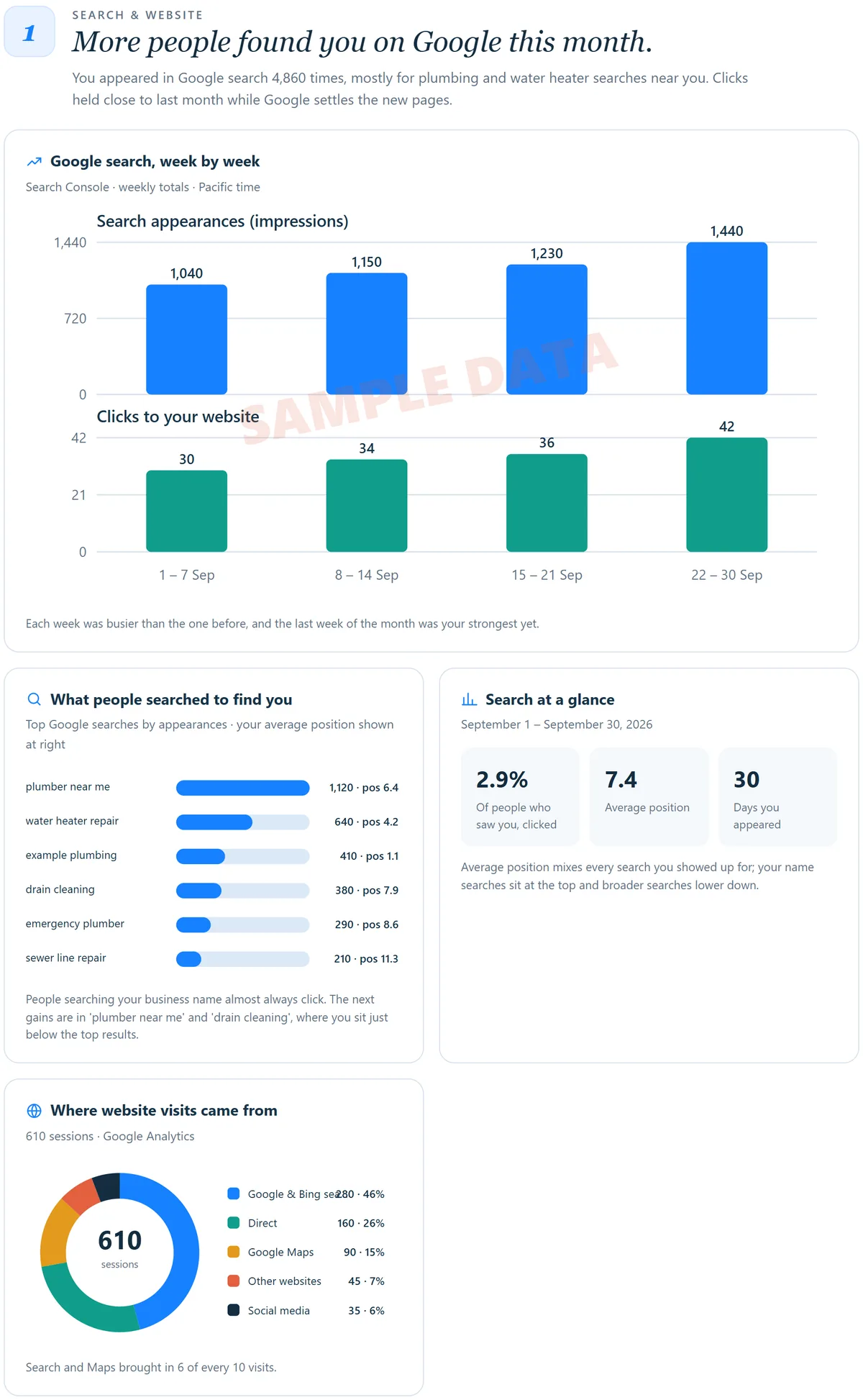 Sample
Google presence & reputation
Your Google rating, new reviews and how many have a reply, plus how many people saw your Business Profile, called you, clicked to your website, asked for directions or sent a message, and the searches that found your profile.
Why it matters: These are the same measures Google reports for every Business Profile: views, searches, calls, messages, direction requests and website clicks.
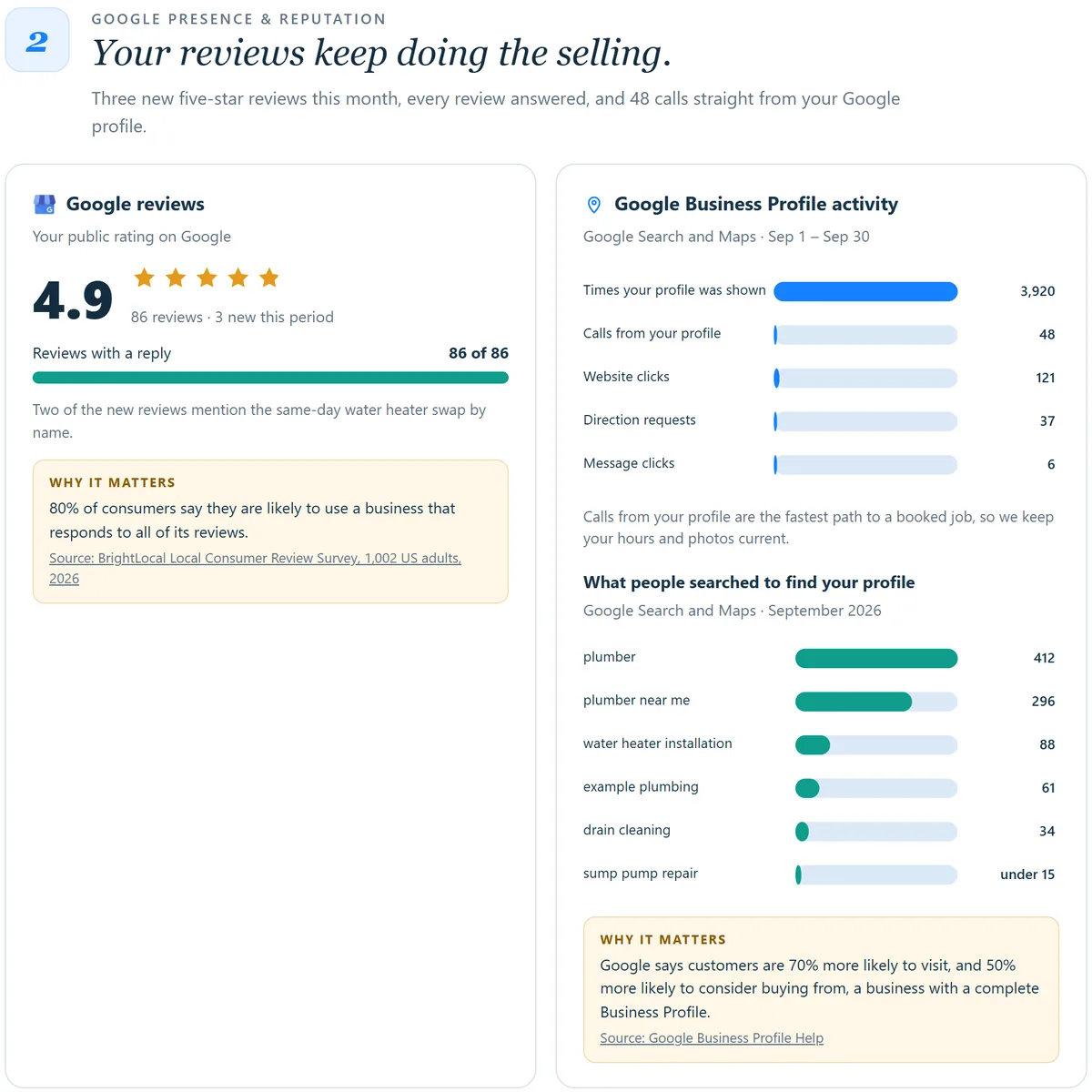 Sample
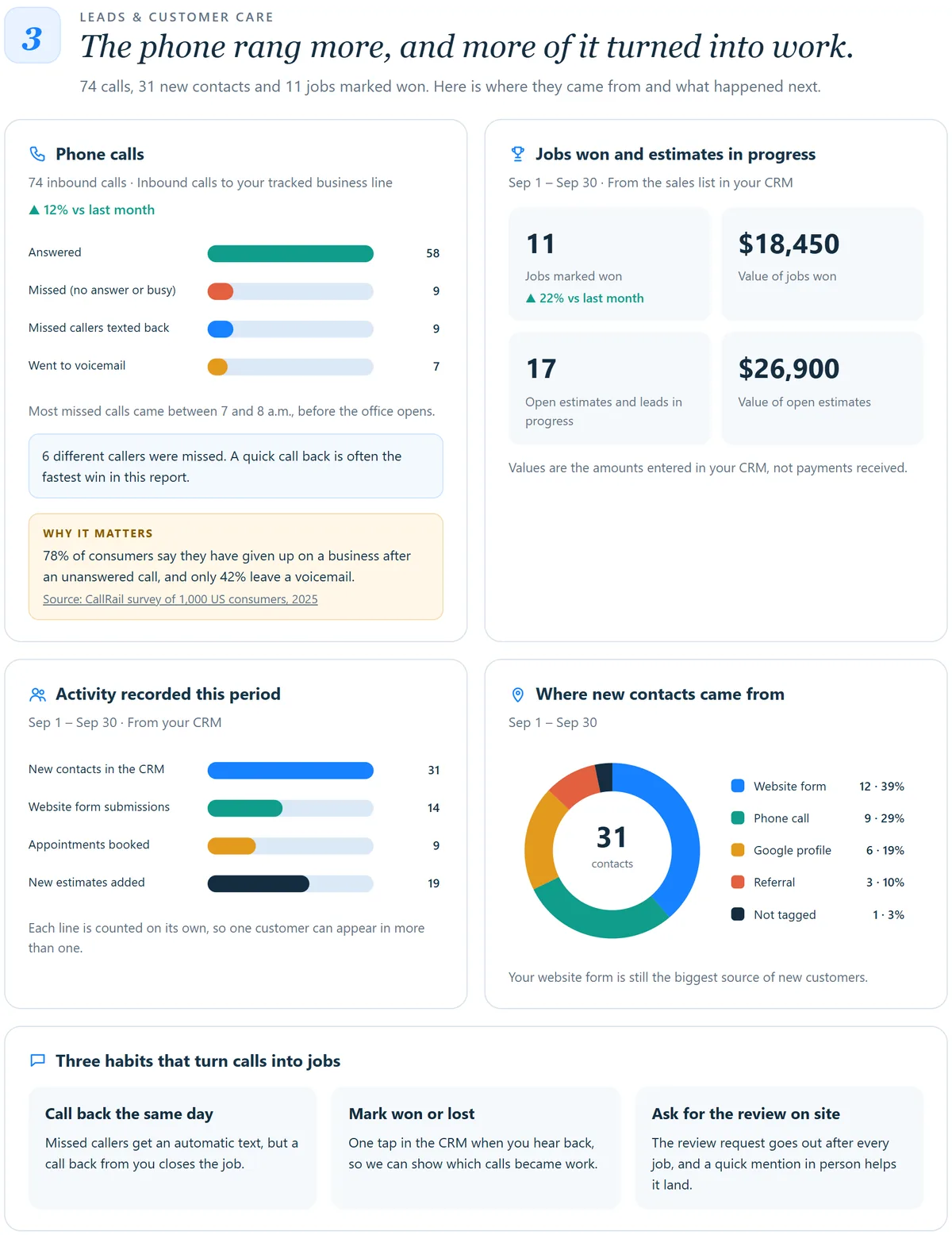
Leads & customer care
Calls answered and missed, how many different callers were missed, jobs marked won and open estimates when you track them in your CRM, new contacts, estimate requests and appointments, and where every new contact came from.
Why it matters: It answers the plain question behind any marketing spend: did the phone ring more than last month, from where, and how many callers were missed?
 Sample
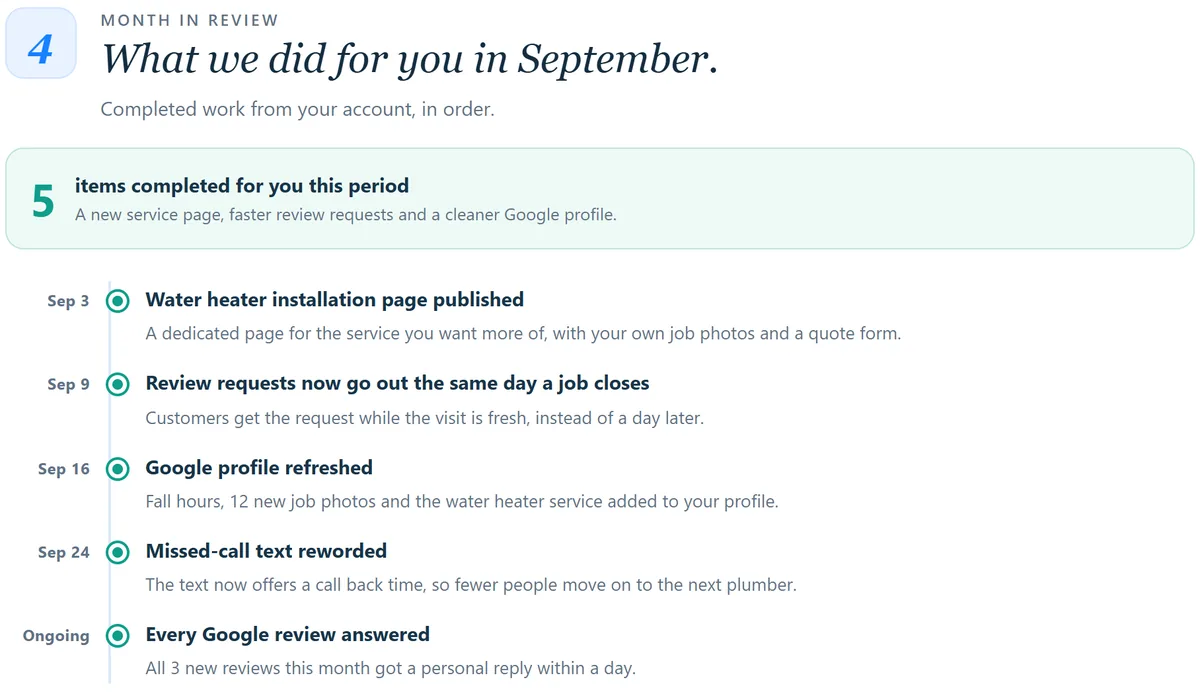
Month in review
A dated list of the work we finished for you that month, written in plain words.
Why it matters: Each item comes from our work log, so you can see what you are paying for.
 Sample
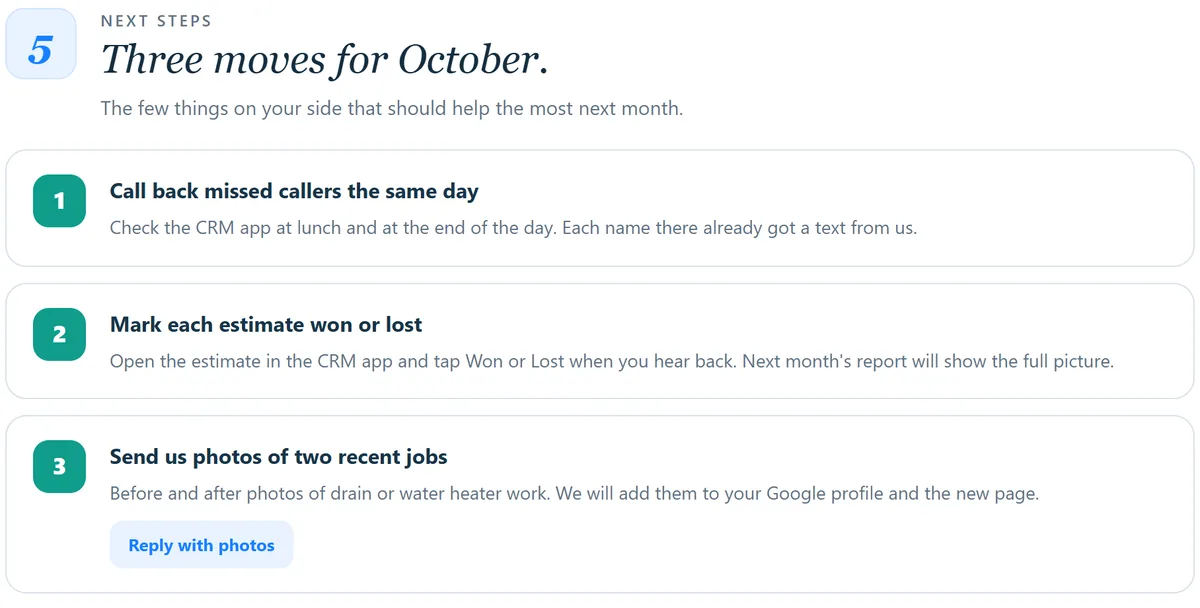
Next steps
Up to three things you can do next month that should help the most, with the steps spelled out.
Why it matters: Some gains depend on things only you can do. The report picks the few expected to help most, so your time goes where it counts.
 Sample
Your first report also shows where you started: what we found before launch, what is in place now and, when we have before and after readings, your website speed.
Numbers you can check.
Every number names its source.
Search Console, Google Analytics, your Business Profile or your CRM. The last section of each report states the source, the period and the time zone.
Missing data is never shown as zero.
If an account is still connecting or waiting on Google, the report says so.
Like for like comparisons.
A change is shown only against an equal earlier period. Your first month sets the starting point.
Declines are reported too.
Each report calls out the biggest win and the most notable change, including a drop when there was one.
Get a report like this every month.
23% of small businesses say their number one marketing frustration is not knowing what's driving results, the top answer in Constant Contact's 2025 survey of 2,500 small business decision-makers.
Constant Contact, Small Business Now report, 2025 (opens in a new tab)
Our report is built to answer that question every month. It comes with Business Foundation, along with your website, your Google profile, review requests and every lead in one place. Add the AI receptionist and your report adds your calls. Add SEO & Visibility and every change we make shows there too.