
The short answer
Within a minute, the customer should get a text or email saying you have their request and when a person will reply, and you should get an alert with their details. Then a real reply within the hour, a follow-up the next morning if they haven't answered, and a last check-in within the week. In one test of 225 local businesses, 42.6% of form leads never got a reply.
Fill out your own form tonight and time it
Before you change anything, find out what happens now. It takes two minutes. Use your personal phone and email so you see exactly what a customer sees:
- Open your website on your phone and fill out the main quote or contact form
- Write down the time you pressed send
- Check for a confirmation on the screen, then by text or email
- Check whether you, or whoever handles leads, got an alert, and how long it took
- Note when a real person replied, and how
What that test usually finds
Leadferno, a company that sells lead-reply software, ran this test on 225 local businesses in 2024. Every one ranked in the top 10 of Google's map results for its main service and had at least 25 reviews. Even so, 42.6% of the form leads never got a single reply, and 4.8% of the forms were broken in some way. The first human reply took 17 hours and 49 minutes on average.
It's a vendor's study, so read it with that in mind. Your own test tonight will tell you where you stand.
The first minute: a confirmation for them, an alert for you
The customer just told you they want something. Your first job is to tell them you got it. In Leadferno's test, only 15.6% of businesses sent even an automatic email confirming the request.
Have the form send a short text and email right away, in plain words, with a time. Something like: "Hi Sarah, it's Mike with [your business]. Got your request about the water heater. I'm on a job and will call you by 3 today."
At the same moment you need an alert: a text to your phone with the name, number, what they asked for and where. If the form only emails an inbox you read at the end of the day, fix that first.
The first hour: the real reply
Call. If they don't pick up, leave a short voicemail and send a text right after. People don't answer numbers they don't know: in a 2020 Pew Research Center survey, only 19% of U.S. adults said they generally answer calls from unknown numbers. The text gives them an easy way to answer back.
Make the text something they can answer in one word: "Hi Sarah, it's Mike about your water heater. I just tried calling. I can come out tomorrow between 8 and 10 or Thursday afternoon. Which works?"
Speed is part of the sale. In Jobber's 2025 survey of 1,001 U.S. home service customers, 96% said response time influences who they hire. In Leadferno's test, only 10.6% of first replies came within an hour, so an hour already puts you ahead of most of the field.
Day one to day seven: the follow-ups
One try is where most businesses stop. Leadferno found 65.5% made just one attempt, and 71.3% of replies used only one channel. A schedule like this covers it without being pushy:
- Within a minute: automatic text and email to the customer, alert to you
- Within the hour: a call, then a text if they don't pick up
- Next morning: one more text with two times you can come out
- Day 3: a short email with something useful, like what the visit involves
- Day 7: a last check-in that makes it easy to say no, such as "Should I close this out?"
Stop when they answer
Every automatic message should stop the moment the customer replies, books or says no. Nobody wants a scheduled "just checking in" after they've already booked you. Only text people who gave you their number for this, and stop right away if they ask you to.
What to automate and what to do yourself
Automate the parts that only need to be fast and consistent: the confirmation, your alert, the follow-up reminders and the review request after the job. Keep the parts that need you: the call, the quote and anything with a price or a judgment call.
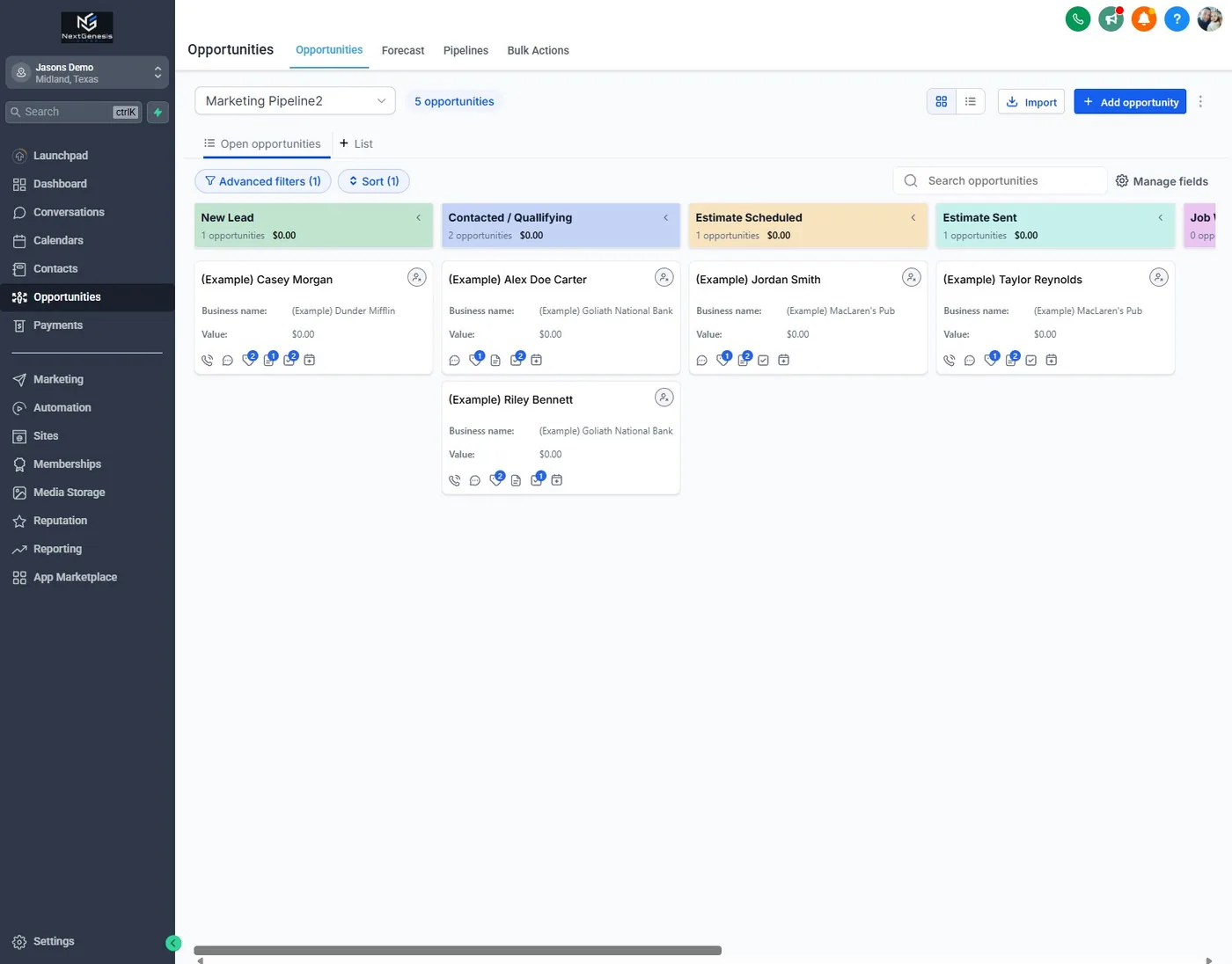
Our CRM does the automatic part for our clients. Forms, chats and calls land in one place, you get an alert for each new lead, and review requests go out after every job. If calls are the bigger leak, start with what happens when you miss a call.
Why this matters in Colorado Springs
Not everyone here has a referral to lean on. Colorado Springs is home to Fort Carson, Peterson and Schriever Space Force Bases and the Air Force Academy, and a family that just moved in doesn't have a neighbor's plumber to call yet. They search and fill out two or three forms. As I said about missed calls, unless someone was referred, the first business to get back to them usually gets the job.
If you're in Colorado Springs and want this set up, our Colorado Springs CRM automation page shows what we build.
Questions people ask
How fast should I reply to a website lead?
Send an automatic confirmation within a minute and a real reply within the hour. In Leadferno's test of 225 local businesses, only 10.6% of first replies came within an hour.
Should I call or text a new lead first?
Call first, then text right away if they don't pick up. Many people don't answer unknown numbers, and the text gives them an easy way to reply.
How many times should I follow up?
Four or five touches over a week works for most service businesses: the first minute, the first hour, the next morning, around day 3 and a last check-in around day 7. Stop as soon as they reply or say no.
Can the follow-up run on its own?
Yes. The confirmation, your alert and the follow-up messages can all run automatically and stop when the customer replies. The conversation itself is still yours.